Home Office guide

Best Home Office Setup 2026: Essential Gear & Ergonomic Picks

Building the best home office setup in 2026 starts with understanding how you actually work. Writers and coders benefit most from a great keyboard and a monitor at the right height. Video callers need a quality webcam and clean audio. Multi-screen workers need a desk with enough surface area and a monitor arm that keeps everything at eye level. And anyone spending six or more hours a day at a desk needs an ergonomic chair before anything else — it’s the single piece of home office equipment that affects your health and focus more than any other. Ergonomic desk setup matters too: the right chair height, monitor distance, and keyboard position reduce the cumulative strain that builds up over months of remote work. A height-adjustable standing desk adds the option to alternate between sitting and standing throughout the day, which most ergonomics guidance recommends for reducing lower-back fatigue. Budget matters as well: a complete home office setup doesn’t require spending thousands. The best work-from-home equipment in 2026 covers a wide range of price points — from affordable starter setups to fully equipped midrange and premium workspaces — and the right combination depends on your workspace size, the type of work you do, and how many hours a day you’re at your desk. Good lighting reduces eye strain and improves how you appear on video calls. A reliable webcam and printer round out a functional home office for anyone who regularly takes calls or handles physical documents. This guide covers the best home office essentials across every category — ergonomic seating, height-adjustable desks, monitors, keyboards, mice, webcams, printers, desk lamps, and complete bundles — with honest verdicts on what’s worth buying and what to skip.

Published · Updated

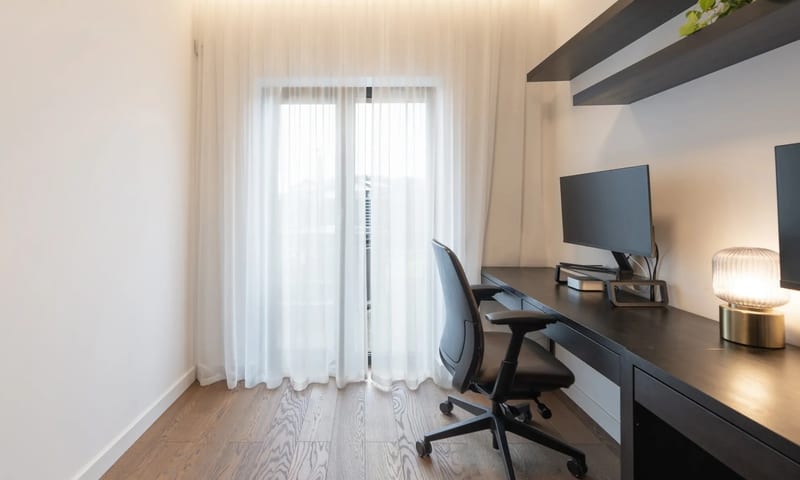
Best home office setup ideas 2026 — modern work from home setup with ergonomic chair, standing desk, keyboard, mouse, and desk lamp

Our top pick

ELABEST X100 Ergonomic Mesh Office Chair

The best home office chair for most remote workers in 2026. Genuine lumbar support, all-day breathability, and a competitive price make it the strongest starting point for any work-from-home setup — whether you’re upgrading from a dining chair or building a dedicated home office from scratch.

Editor's pick

Side-by-side comparison

Best home office setup 2026 — essential gear for every workspace

Top pick

Best Ergonomic Chair for Home Office

ELABEST X100 Ergonomic Mesh Office Chair

Editor's pick

Pros

  • Breathable mesh back keeps you cool during long work-from-home sessions — a significant advantage over foam-padded chairs
  • Adjustable lumbar support targets lower-back fatigue, the most common complaint among remote workers
  • Adjustable headrest reduces neck strain during video calls and extended screen time
  • Competitive price for the ergonomic feature set — well below premium brands with comparable support

Cons

  • Armrests have limited lateral adjustment range
  • Assembly instructions could be clearer — allow 30–45 minutes

Verdict

The best ergonomic chair for a home office at this price point. Genuine lumbar support and all-day breathability make it a meaningful upgrade from a standard dining or task chair — and the right foundation for any serious work-from-home setup.

Check price on Amazon

Best Standing Desk for Home Office

FlexiSpot E7 Electric Standing Desk

Editor's pick

Pros

  • Stable at full standing height — no wobble under a dual-monitor setup or heavy equipment
  • Programmable height presets let you switch between sitting and standing positions in seconds
  • High weight capacity suits demanding home office setups with multiple monitors and accessories
  • Electric motor is quiet enough for video calls and shared living spaces

Cons

  • Assembly takes time — plan for 60–90 minutes
  • Desktop surface sold separately; factor this into the total cost

Verdict

The best standing desk for a home office in 2026. Stability at full height is the key differentiator — many cheaper alternatives wobble under a dual-monitor load. The programmable presets make the sit-stand habit easy to maintain through a full workday.

Check price on Amazon

Best Compact Standing Desk

FlexiSpot E7 Mini Electric Standing Desk

Editor's pick

Pros

  • Compact footprint suits smaller home offices and apartments where a full-size standing desk won’t fit
  • Electric height adjustment with programmable presets — same core sit-stand functionality as the full-size E7
  • Sturdy steel frame supports a single-monitor setup without wobble at standing height
  • Quieter motor operation compared to some competing compact standing desks

Cons

  • Smaller desktop surface than the standard E7 — not suited to dual-monitor or wide-format setups
  • Desktop surface sold separately; factor this into the total cost

Verdict

The best compact standing desk for a home office with limited space. The E7 Mini brings FlexiSpot’s electric height adjustment and programmable presets to a smaller footprint — a practical option for remote workers who want sit-stand flexibility without a full-size desk.

Search on Amazon

Best Keyboard for Home Office

Logitech MX Keys

Editor's pick

Pros

  • Low-profile spherically-dished keys reduce finger travel and fatigue during long writing sessions
  • Connects to up to three devices simultaneously — switch between laptop, desktop, and tablet with one keystroke
  • Smart backlighting activates when your hands approach and dims when you step away
  • USB-C rechargeable — no disposable batteries; a single charge lasts weeks of typical use

Cons

  • Membrane keys — no mechanical tactile feedback; not suited to users who prefer a clicky feel
  • Premium price for a non-mechanical keyboard

Verdict

The best keyboard for a home office in 2026 for most remote workers. The multi-device pairing is the standout feature for anyone who switches between a work laptop and a personal machine — and the low-profile keys are genuinely comfortable for all-day typing.

Check price on Amazon

Best Mouse for Home Office

Logitech MX Master 3S

Editor's pick

Pros

  • Electromagnetic MagSpeed scroll wheel switches between precise click-to-click and free-spinning mode — useful for long documents and spreadsheets
  • Ergonomic right-hand shape reduces wrist strain during extended work sessions
  • Connects to up to three devices — pairs naturally with the MX Keys for a matched multi-device home office setup
  • Quiet click mechanism — noticeably less disruptive on video calls than standard mice

Cons

  • Large form factor — not comfortable for smaller hands or users who prefer a compact mouse
  • Premium price; right-hand only

Verdict

The best mouse for a home office in 2026 for most remote workers. The MagSpeed scroll wheel is genuinely useful for document-heavy work, and the multi-device pairing makes it a natural companion to the MX Keys keyboard for anyone managing multiple machines.

Check price on Amazon

Best Desk Accessory: Desk Lamp

Galnolt 28.2" Adjustable Gooseneck LED Desk Lamp

Editor's pick

Pros

  • Flexible gooseneck positions light exactly where needed — useful for both screen work and paper documents
  • Wide dual-light head covers a large desk surface without repositioning
  • Stepless dimming adapts to different tasks and ambient light conditions throughout the day
  • Low-glare design reported as easy on eyes during long work-from-home sessions

Cons

  • Gooseneck may lose tension over time under full extension
  • No built-in USB charging port — a missed convenience for a desk lamp at this price

Verdict

A practical, well-built desk lamp for a home office that needs flexible, eye-friendly task lighting. The wide coverage and stepless dimming make it more versatile than a standard fixed-arm lamp — and a worthwhile desk accessory for anyone working long hours under artificial light.

Check price on Amazon

Best Ergonomic Desk & Chair Bundle

Autonomous Core Set — Ergonomic Desk & Chair Bundle (Onyx Black Pro)

Editor's pick$598

Pros

  • Complete ergonomic home office solution in one purchase — eliminates the guesswork of matching a desk and chair separately
  • Adjustable desk height supports both sitting and standing work throughout the day
  • Ergonomic seating designed for all-day comfort — reduces the fatigue that builds up over a full remote workday
  • Onyx Black Pro finish suits clean, minimal home office aesthetics and photographs well for video calls

Cons

  • Higher upfront cost than buying desk or chair separately — though the bundle price is typically lower than purchasing each at retail
  • Assembly required for both pieces; plan for a half-day setup

Verdict

The best complete home office setup bundle in 2026 for anyone starting from scratch or doing a full workspace upgrade. Buying the desk and chair together removes the compatibility guesswork and typically saves money versus purchasing each separately — a strong pick for remote workers who want a dedicated, ergonomic workspace in one order.

View at Autonomous

Best Monitor for Working From Home

LG 27UK850-W 4K USB-C Monitor

Editor's pick

Pros

  • 4K UHD resolution at 27 inches — noticeably sharper text and detail than 1080p for document-heavy and creative work
  • USB-C with 60W power delivery connects a laptop with a single cable, eliminating desk clutter
  • IPS panel with wide viewing angles — accurate colors for design work and comfortable for long reading sessions
  • Picture-in-Picture and Picture-by-Picture modes support multi-source workflows without a second monitor

Cons

  • 60Hz refresh rate — not suited to gaming; for a gaming-capable monitor see the Best Gaming Monitors guide
  • Requires a laptop or PC with USB-C DisplayPort Alt Mode to use the single-cable connection

Verdict

The best monitor for working from home in 2026 for most remote workers. The 4K IPS panel sharpens text and detail for document-heavy work, and the USB-C single-cable connection keeps the desk clean — a meaningful quality-of-life upgrade for anyone currently using a laptop screen alone.

Check price on Amazon

Best Webcam for Home Office

Logitech C920x HD Pro Webcam

Editor's pick

Pros

  • 1080p 30fps video with autofocus — a significant step up from built-in laptop webcams for video calls
  • Dual built-in microphones with automatic noise reduction reduce background noise without a separate mic
  • Works with Zoom, Microsoft Teams, Google Meet, and all major video conferencing platforms
  • Clips to any monitor or laptop screen; no driver installation required on Windows or macOS

Cons

  • 30fps cap — not suited to streaming or content creation that requires 60fps
  • No 4K option at this price point

Verdict

The best webcam for a home office in 2026 for most remote workers. The 1080p autofocus and built-in noise-reduction microphones cover the two most common video-call complaints — blurry image and distracting background noise — at a price that makes it an easy addition to any work-from-home setup.

Check price on Amazon

HOME OFFICE PRINTER

Canon PIXMA MegaTank G3270 Wireless All-in-One

Editor's pick

Pros

  • Refillable ink tanks help reduce ongoing ink costs.
  • Print, scan, and copy in one device.
  • Wireless connectivity for convenient home-office printing.

Cons

  • No automatic double-sided printing; pages must be flipped manually.
  • No automatic document feeder; scanning and copying use the flatbed.

Verdict

A practical option for home-office users who regularly print documents in black and color and want refillable ink tanks. Best suited to those who can manage manual double-sided printing and individual-page scanning.

Check Price on Amazon

Related guides

Complete your work-from-home setup

Once you've covered the home office essentials, these guides help you choose the right laptop to power your setup, the best monitor for your desk, and the AI tools that make remote work more productive.

Affiliate disclosure: Some links on this page are affiliate links. If you click through and make a purchase, Chryses may earn a small commission at no extra cost to you. Our editorial recommendations are independent and are not influenced by affiliate relationships. Learn about our editorial process.

Looking for more guides?

We cover tech, home, software, gaming, home office, and more.
All guides